Overview
Mozilla's Firefox (Gecko) can be used to access Hoxhunt service via Outlook on the Web or Gmail. However, it's not a default browser used by any version of Outlook or Gmail client to run Hoxhunt add-in.
For optimal Hoxhunt experience, make sure you are running a stable and recent version of Firefox.
In normal situations, no further configuration is needed for optimal Hoxhunt experience. However, if you encounter issues when using Hoxhunt add-in with Firefox, please check the following settings.
Check Enhanced Tracking Prevention level
1. Open Firefox.
2. Go to about:preferences#privacy.
3. Set Enhanced Tracking Prevention to Standard.
TIP: If you can't use Standard level or Hoxhunt is still not working correctly, please open each of the following sites in a new Firefox tab:
officejs.hoxhunt.com
game.hoxhunt.com
app.hoxhunt.com
auth.hoxhunt.com
Then, click on the shield icon next to the site URLs.

Toggle the switch to OFF position.
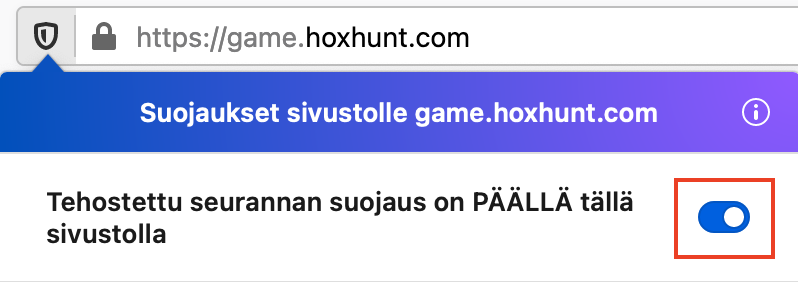
Repeat the steps to each site and restart Firefox.
Pop-up windows should be allowed for Hoxhunt
1. Open Firefox.
2. Go to about:preferences#privacy.
3. Scroll down to Permissions, and make sure Block pop-up windows is not checked.
(If you don't want to allow pop-up windows for all sites, select Exceptions..., and then type hoxhunt.com and click Allow and Save changes.)
5. Restart Firefox and try Hoxhunt add-in again.